The check-in table is the first thing your supporters experience, and it sets the tone for everything that follows. When it runs smoothly, people walk in relaxed and ready to give. When it stalls, the line becomes the story of the night.
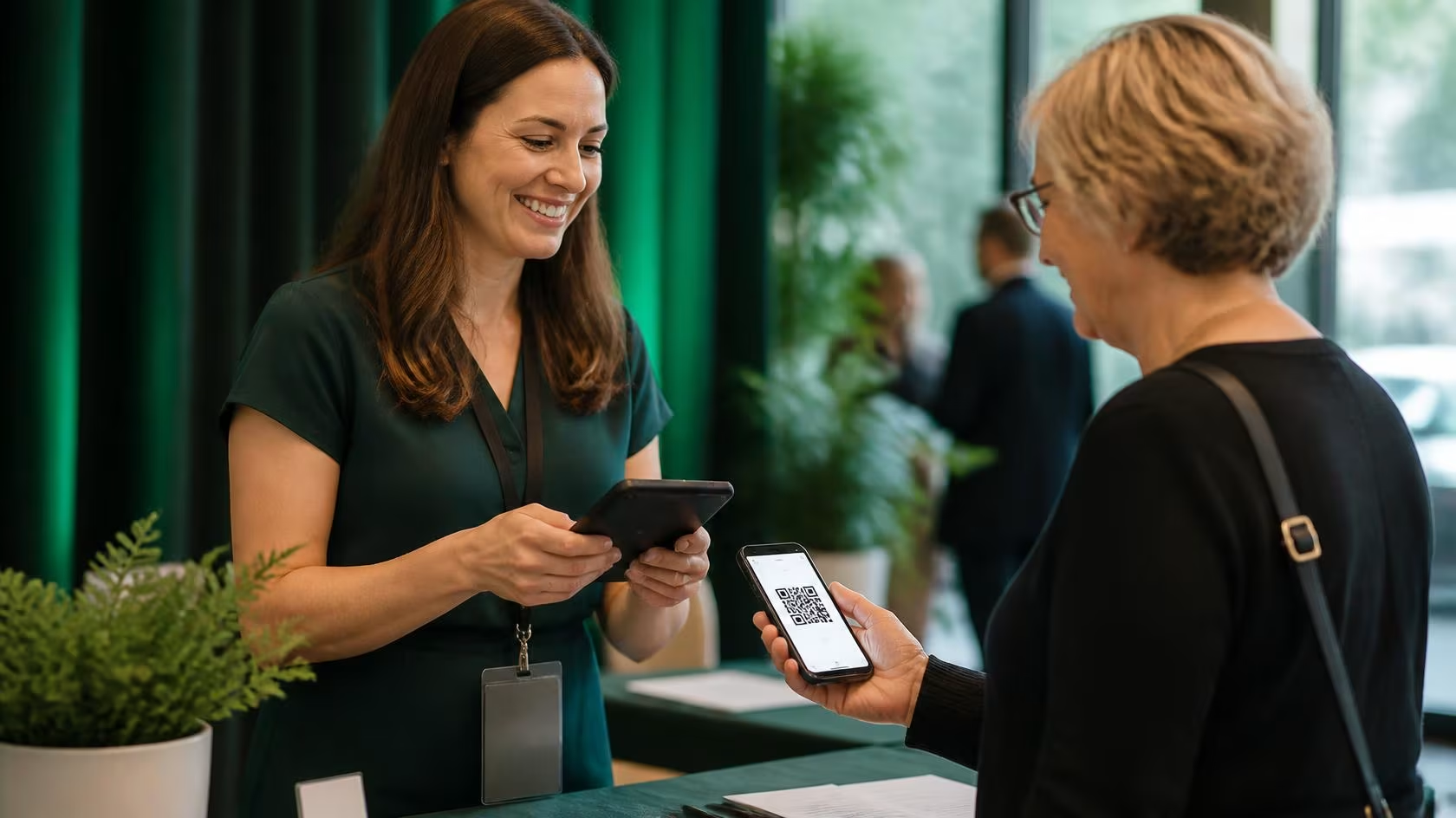
QR code check-in is how most nonprofits keep that first impression on track. Each supporter arrives with a code on their phone or printed ticket, a volunteer scans it, and they’re inside in seconds.
No paper lists, no spelling out surnames at the door. This guide covers the tools you’ll need, how to set everything up, how to train your volunteers, and how to keep the line moving when a crowd arrives at once.
How QR Code Check-In Works
At its simplest, QR code check-in confirms who has arrived by scanning a unique code tied to each ticket. When someone buys a ticket or registers, your system creates a code that belongs to them alone.
On the night, they show it on their phone or a printout, a volunteer scans it, and the system marks them as arrived.
What sets it apart from a paper list is what happens behind that scan. Instead of reading, searching, and ticking names off by hand, every arrival is recorded instantly. Your numbers stay current, and you never lose your place on the page.
Why QR Code Check-In Works
Speed is the obvious win, but it isn’t the only one. A scan takes a second or two, while finding a name on a printed list can stretch toward a minute once people are queuing.
Accuracy is the quieter benefit: no misread names, no duplicate entries, and no guessing whether someone already came through.
Because every scan updates your numbers in real time, you can see how many people are in the room while the event is still running. That makes calls on seating, catering, and timing far easier.
And it simply looks the part. A quick, confident welcome tells supporters they’re in good hands before the first item is announced.
Do You Need QR Code Check-In?
For most events of any real size, the answer is yes, and the bigger the crowd, the clearer it gets.
If you’re expecting 200 or more people, running several entry lines, or juggling ticket types and VIPs, QR check-in pays for itself in time and a good first impression your event.
Between 100 and 200, it’s still well worth it, especially if you want clean data afterward. Below 100, a printed list can hold up fine, though even a small event saves you the manual data entry later.
Think of it less as a rule and more as a question of how much friction you’re willing to have at the door.
Choosing Your Check-In Tool
The easiest option is almost always the check-in that’s already built into the platform you use to sell tickets.
When ticketing and check-in live in the same place, the codes, the attendee list, and your reporting are all connected, with no extra software or hardware to install or pay for.
Platforms like GalaBid include check-in in the same system that sold the tickets, so the moment someone buys a ticket, they’re already in your system and ready to be scanned in. There are other routes, and each has its place.
A quick word on cost. Standalone apps are usually billed per attendee, per event, or as an annual plan, so they can add up alongside a tool you already have.
For your own pricing, check the current options for your region for the latest options.
The Equipment You Actually Need
You need far less than you might expect, and you probably own most of it already. The heart of it is a mobile device with a decent camera, a reliable internet connection, and clear signage.
Plan for two or three phones or tablets so you always have a backup if one plays up.
If you’re buying new, event-ready tablets tend to fall between $200 and $800, but devices your team already owns work just as well.
Round it out with reliable venue WiFi and a phone hotspot as backup, chargers or power banks, and signage to guide the line.
Tablets often edge out phones here, simply because a bigger screen is easier for volunteers to scan and read at speed.
Setting Up Your Check-In, Step by Step
A little preparation is what separates a calm door from a chaotic one. Here’s the sequence that works.
Step 1: Choose Your Tool
Decide between built-in, standalone, or web-based check-in, and lean toward whatever connects to your existing ticketing. Whatever you pick, test it well before the event.
Step 2: Set Up What Volunteers See
Test out the QR code feature in your platform ahead of time. If the QR code doesn't scan, know the other ways you can quickly search and check in the ticket holder.
Step 3: Plan the Flow
Decide on one line or several stations, sketch how people will move through the space, and work out how many volunteers each station needs.
Step 4: Train Your Volunteers
Ten to fifteen minutes of hands-on practice is enough. Walk through the common what-ifs, and give everyone a clear role: scanners, troubleshooters etc.
Step 5: Do a Full Run-Through
Before the day, test every device, check the WiFi reaches the door, and confirm your backup device works. Time a few practice scans so you know what to expect.
Step 6: Prepare on the Day
Arrive early, set up and test the stations, charge your backups, and put out your signage. Brief the team about half an hour before doors open, then watch the first few arrivals for anything small to fix.
Handling Problems at the Door
Almost everything that goes wrong at check-in has a fast fix, as long as you’ve planned a backup. Here are the ones you’re most likely to meet, and what to do about each.
None of this should rattle a trained volunteer, which is exactly why the few minutes you spend walking the team through it beforehand matter so much.
Best Practices for a Smooth Start to your Event
If you take one habit from this guide, make it this: open check-in early. Letting people arrive before the official start spreads the crowd out and eases the pressure on every other decision.
From there, the rest is straightforward. Run more than one station once you’re past a couple of hundred people, and give VIPs their own line so they’re not waiting behind general admission.
Tap into the reporting available on your platform, see at glance sign of what percentage of guests have been checked in and who has yet to arrive.
Always have a printed list on hand for the rare moment the technology has an off day. Small touches, but together they’re the difference between a line that crawls and one that flows.
Making the Most of Your Check-In Data
Check-in does more than get people through the door; it hands you a clean record you can actually use. At the very least you’ll have names and arrival times.
You can also capture ticket types, dietary needs, or accessibility requirements, which make planning the next event easier. Afterward, you can see who didn’t show and spot patterns worth acting on.
Handle that information with care. In the United States, state privacy laws such as the California Consumer Privacy Act (CCPA) may apply depending on your size and where you operate, so it’s worth checking whether they cover you.
If any of your attendees are based in the EU or the UK, the GDPR, Europe’s data-protection law, can apply too, wherever your event is held.
The practical version is simple: collect only what you need, tell people what you’re collecting, keep it secure, and delete it once it’s served its purpose.
Matching Check-In to Your Type of Event
How much check-in you need scales with the size and formality of the event. A gala of 200 or more should treat QR check-in as essential, with two or three stations and volunteer training in advance.
A fundraising breakfast of 100 to 200 usually runs comfortably on a single station and a quick briefing.
A community event of 100 or fewer can go either way; a paper list is fine, though QR codes still earn their keep if you want real time data of who has and hasn't checked in.
How Real Nonprofits Use QR Codes
Plenty of nonprofits already use QR codes to take the friction out of in-person fundraising.
Partners with Paws, a service dog charity in southwestern Ontario, is a good example. Across several fundraisers with GalaBid, they printed QR codes and handed them out at their in-person event, sending supporters straight to the online auction. The result was more bids and close to $8,000 raised.
Another organizer showed how well QR codes suit a last-minute event. After a 2024 hurricane left two of her staff without homes, she pulled together a community fundraiser at a local restaurant.
She printed a QR code, placed it on the tables, and let people scan to buy tickets, give, or bid on silent auction items.
She set it up herself, and it ran so simply that colleagues could keep it going on the day when she couldn’t be there. Her only snag was the venue WiFi, a good reminder to have an internet backup ready.
Different events, same lesson: a code in someone’s hand closes the gap between wanting to give and actually giving.
The Mistakes That Cause Most Check-In Chaos
Most check-in trouble traces back to a short list of avoidable slip-ups: running a single device with no backup, skipping volunteer practice, and weak WiFi with no hotspot standing by.
The rest are just as easy to prevent: no printed list when technology stumbles, skipping the run-through, vague signage, and too few stations or no troubleshooting station.
None are hard to fix, and every one is far cheaper to solve the week before than on the night itself.
Frequently Asked Questions
What’s the best QR code check-in app for nonprofits? The best option is usually the check-in built into the platform you already use for tickets, because everything connects on its own. Look for a platform that keeps ticketing, check-in, and reporting in one place.
Do we need special equipment for QR code scanning? No. A smartphone or tablet with a working camera is enough. Bring two or three so you have a backup, plus chargers and reliable WiFi.
What if an attendee doesn’t have their ticket handy? A volunteer can look them up by name, email, or ticket number and check them in by hand, so no one is turned away.
Can we use attendees’ own phones to scan, or do we need staff phones? Volunteers do the scanning on your devices. Attendees simply show their code; they don’t scan anything themselves.
How do we handle people who arrive without a ticket? Resend the ticket to their email so they can open it on their phone, or, search their name and check them in without scanning the QR code.
Does QR code check-in need an internet connection? Most setups do, so keep a phone hotspot as backup and a printed list on hand just in case.
Can we reuse QR codes for more than one event? Codes are unique to each ticket and event, so each event creates its own. The setup and the know-how carry straight over.
What happens if the scanner fails? Switch to a backup device and fall back to a manual name lookup, which is why a spare device and a printed list always earn their place.
More articles about Ticketing & Check-in for Fundraising Events
About GalaBid
Ideal for donations. Perfect for Raffles. Awesome for Live and Silent Auctions! GalaBid’s online fundraising platform is designed for fundraisers of all types and sizes. For over 10 years we’ve been helping non-profits, charities, community clubs, churches, schools, and individuals to raise more and make a difference.