Live streaming a fundraising event is the easy part now. Any laptop and a decent internet connection will put your gala in front of people who could not be in the room.
The hard part is raising funds while it happens. A stream is a broadcast, and broadcasts are passive. Someone watching your auctioneer on a screen cannot raise a paddle, and if you have not given them another way to act, the whole thing becomes an expensive video.
Here is how the two halves fit together, and what to get right before you go live.
The Streaming Platform Is Not the Fundraising Platform
These are two separate jobs and they are almost never done well by the same tool. The streaming platform delivers video to viewers. The fundraising platform takes the ticket payment, runs the bidding, handles the donations and keeps the totals updated. Trying to make one do both usually means accepting a weak version of the more important half. Run them side by side instead, and the viewer watches on one screen while acting on another.
The Second Screen Is Where the Funds Come From
The model that works is simple. The stream plays on whatever screen the viewer has chosen, usually a laptop or a television. The fundraising happens on the phone in their hand.
This is not a compromise, it is how people already behave. In 2025, 43% of online donations were made on a mobile device, so a supporter giving from their phone while watching something else is a familiar pattern, not one you have to teach them.
It also solves the problem that kills most streamed fundraising, which is worth stating as a rule: the bidding must never depend on the video.
One Screen or Two?
There are two workable arrangements, and the difference between them is which page is in charge.
Two screens means the stream plays on a laptop or television and your supporters bid on their phones. It suits an audience watching at home on a big screen, and it is the arrangement most people default to.
One screen means the stream is embedded into your fundraising page, so watching and bidding happen in the same place. This works particularly well for people watching on a phone, where switching between two apps is exactly the friction that loses you a bid.
Both are fine. What matters is the direction of the embed. Putting your stream inside your fundraising page is safe, because if the video drops the bidding page is still there and the auction carries on. Putting your bidding inside a video platform is not, because when the stream fails you lose the fundraising with it.
Set it up so the fundraising page is the host and the video is the guest, and a bad connection costs you a few minutes of program rather than the auction.
Choosing Where the Stream Lives
Three broad options, and the right one depends on how much you want the audience to feel present rather than on video quality.
Three ways to stream a fundraising event
In practice that means a handful of familiar services. Zoom, Microsoft Teams and Google Meet cover the video call approach. YouTube Live, Facebook Live and Twitch cover public streaming. Vimeo and YouTube both give you an embed code, which is what you need if the stream is going to sit inside your own fundraising page.
A few honest differences between them. YouTube Live is free, reliable at any audience size, and the default for most nonprofit streams, though you will want the broadcast set to unlisted rather than public so the link retains some value. Vimeo is paid on the plans that matter but gives you better control over privacy, branding and who can embed it. Facebook Live is worth it only if you already have an engaged following there, since it reaches your existing audience rather than your ticket buyers. Twitch suits a younger audience and has an established charity streaming culture, but it is the wrong room for a black tie gala.
Whichever you choose, keep the joining instructions to one link and one sentence. Every additional step between a ticket buyer and the video costs you attendance at the moment you can least afford it.
Cameras, Audio and Connection
You do not need a production company, but three things separate a stream people stay on from one they leave.
1. Audio First, Always
Viewers tolerate mediocre video and abandon bad audio within a minute. If your venue has a sound desk, take a feed from it rather than letting a camera pick up the room, because that one change does more than any equipment you could buy.
Where there is no desk, put a lapel microphone on whoever is speaking. A laptop's built-in microphone sitting fifteen feet from the stage records the room, not the speaker, and a room at a gala is mostly cutlery and conversation.
Give your auctioneer or host their own microphone that stays with them. They move, and a fixed microphone will lose them at the exact moment the bidding gets interesting.
2. One Steady Camera Beats Three Shaky Ones
A single locked-off camera on a tripod, framed on the stage or podium, is perfectly good. Handheld phone footage is not, and it makes an event look less professional than a static wide shot ever would.
A second camera helps if you have someone to switch between them, and hurts if you do not. Only add one when a person is assigned to operate it.
Light the speaker's face and check what is behind them. Windows and bright screens behind a presenter turn them into a silhouette, which is the most common and most avoidable problem in nonprofit streams.
3. Wire the Connection
Use an ethernet cable rather than venue wifi. Guest wifi at a venue is shared with several hundred phones, and it degrades exactly when the room fills up.
Check upload speed rather than download, since that is what streaming uses and it is usually the smaller number. Have a mobile hotspot on standby as a fallback, and know who is responsible for switching to it.
4. Record a Test and Listen Back
Record five minutes in the real venue with the real setup, then play it back on headphones and on a phone speaker. Problems that are inaudible in the room are obvious on a recording, and this is the step most people skip.
Timing the Ask
An in-person auctioneer can read a room and stretch a moment. On a stream you have none of that, so the structure has to do the work instead.
Make the ask early rather than saving it for the end. Online audiences drift, and the people watching at minute fifteen are not all still there at minute fifty. Your strongest fundraising moment should not be your last.
Give every ask a visible deadline. A countdown, a closing time on the auction, a matched giving window that expires. Without a reason to act now, a viewer will decide to do it later and later never arrives.
And say what to do, precisely, more than once. "Open the link in your confirmation email and tap Donate" beats "support us tonight" every time, because half your audience joined late and missed the first explanation.
Running the Room and the Stream Together
If you have people in a room and people at home, the online audience will be forgotten unless someone is responsible for them. That is a job, not an afterthought.
Give it to a named person whose only role is watching the stream as a viewer would: checking the audio is carrying, feeding the host questions from online guests, and telling the host when to acknowledge them by name.
The acknowledgment matters more than it sounds. An online audience that hears itself mentioned from the stage stays engaged. One that never gets referenced learns within twenty minutes that it is watching someone else's party.
Keep the fundraising unified. Everyone bids in the same place whether they are in the room or at home, so your totals, your leaderboard and your final number are one set of figures rather than two you reconcile afterwards.
What to Test Before You Go Live
1. Run the Whole Thing End to End
Not the stream alone. Buy a ticket as a supporter would, receive the confirmation, join the stream from it, and place a bid from a phone while the video is playing. That full path is what your audience does and it is the only test that matters.
2. Test on a Phone on Mobile Data
Your office wifi is not representative. Check the bidding pages load quickly on a phone with an ordinary connection, because that is what most of your audience will use.
3. Have a Plan for the Stream Failing
Decide in advance what happens if the video drops mid-auction. Usually the answer is that bidding continues and the auctioneer keeps going, because the fundraising is not dependent on the video. Make sure your team knows that.
4. Send the Link Again an Hour Before
Most no-shows at streamed events are people who could not find the link, not people who changed their mind.
After the Stream Ends
The event is not over when the broadcast stops. Around 45% of webinar attendees watch on demand rather than live, and the same holds for fundraising content.
Keep the giving open for a defined window afterwards, and send the recording with a link that still works. People who missed the live broadcast are often still willing to give, and closing everything the moment the stream ends throws that away.
How GalaBid Fits
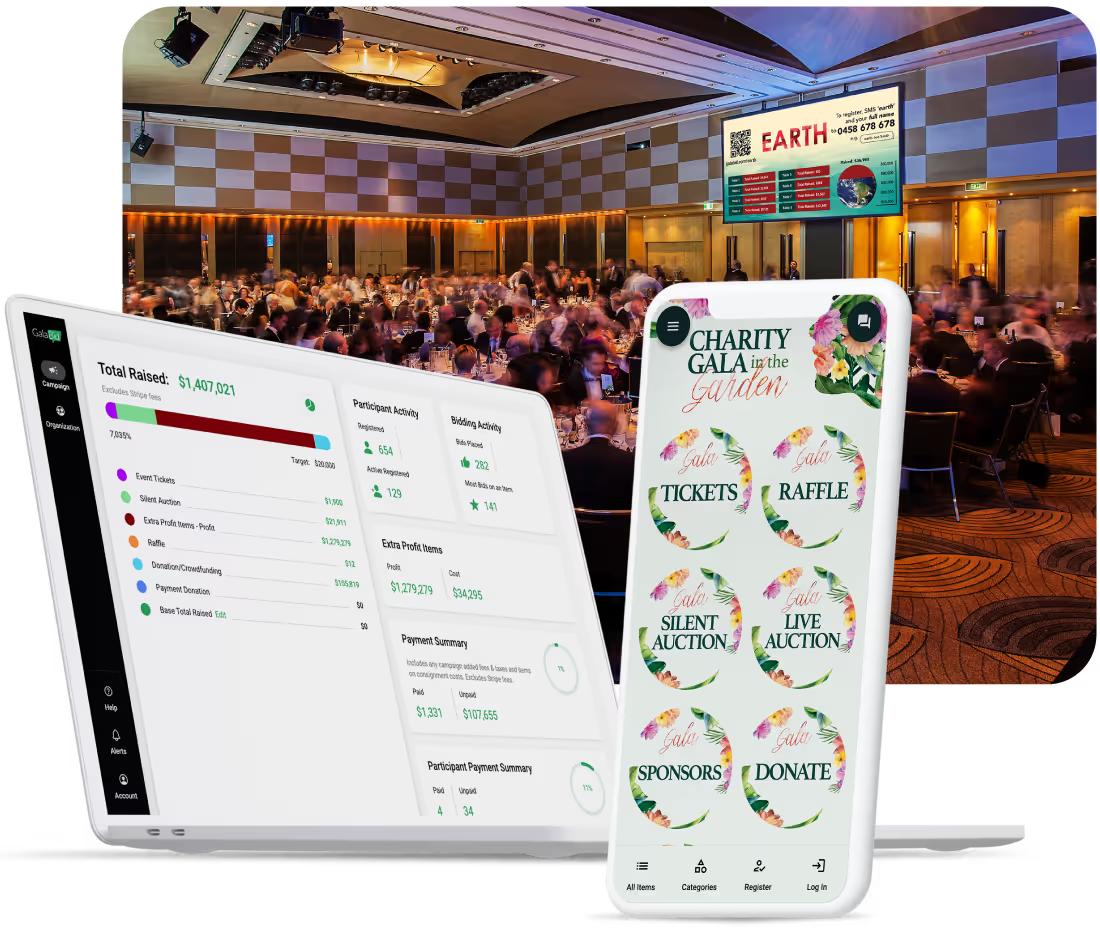
GalaBid handles the fundraising rather than the broadcast. You stream wherever suits your event, and GalaBid runs the ticketing, bidding, raffle and donations around it.
You can also embed your stream directly into GalaBid, so supporters watch and bid on the same page rather than moving between two. That is the arrangement described above, with the fundraising page as the host and the video as the guest, so a stuttering stream never takes the auction down with it.
Because it is one platform for all of that, a supporter registers once when they buy a ticket and does not register again to bid or give during the stream. That matters more online than in a room. Anyone who has watched a streamed auction has seen people drop out at the moment they are asked to create an account mid-event.
Shareable Links give you something to put in the stream description and the chat, Multiple Ticket Types let you sell online and in-room tickets separately, and Real-Time Analytics means the host can call out a running total that is actually current. See the full fundraising event features or the nonprofit ticketing overview.
Frequently Asked Questions
Do you need special software to live stream a fundraising event?
No. A video call platform or a public streaming service delivers the broadcast, and a fundraising platform handles the ticketing, bidding and donations. You can embed the stream into your fundraising page so supporters watch and bid in one place, which keeps the experience simple without asking one tool to do both jobs.
Which platform should you use to stream a fundraising event?
YouTube Live is the sensible default: free, reliable at any size, and it gives you an embed code if you want the stream inside your own fundraising page. Set it to unlisted rather than public. Vimeo is worth paying for if you need tighter control over privacy and branding, and Zoom suits smaller events where you want people to feel they are around a table together.
How do people bid during a live streamed auction?
Either on their phone while the stream plays on another screen, or on the same page if you embed the stream into your fundraising page. What matters is that the bidding page is the host rather than the video platform, so a stuttering stream never takes the auction down with it.
When should you make the ask during a stream?
Earlier than you would in a room, and more than once. Online audiences drop away as the event runs, so your strongest fundraising moment should not be the last thing on the schedule. Give every ask a visible deadline.
How do you keep online and in-person audiences equal?
Assign one person to represent the online audience, and have the host acknowledge them by name from the stage. Run the bidding in a single place so both audiences compete against each other rather than in two separate contests.
Should you keep donations open after the stream ends?
Yes, for a defined window. Close to half of webinar attendees watch on demand rather than live, and people who catch up afterwards will still give if the link works. Send the recording with the giving page still open.
In Summary
Whether your supporters watch on a second screen or on the same page as the bidding, the rule is the same: the fundraising page hosts the video, not the other way around. The broadcast is a delivery mechanism, and the phone in your supporter's hand is where the funds come from.
Make the ask early and repeat it, give every ask a deadline, put one person in charge of the online audience, and test the whole path from ticket purchase to bid before the night. Then leave the giving open once the stream stops.
More articles about Ticketing & Check-in for Fundraising Events
About GalaBid
Ideal for donations. Perfect for Raffles. Awesome for Live and Silent Auctions! GalaBid’s online fundraising platform is designed for fundraisers of all types and sizes. For over 10 years we’ve been helping non-profits, charities, community clubs, churches, schools, and individuals to raise more and make a difference.