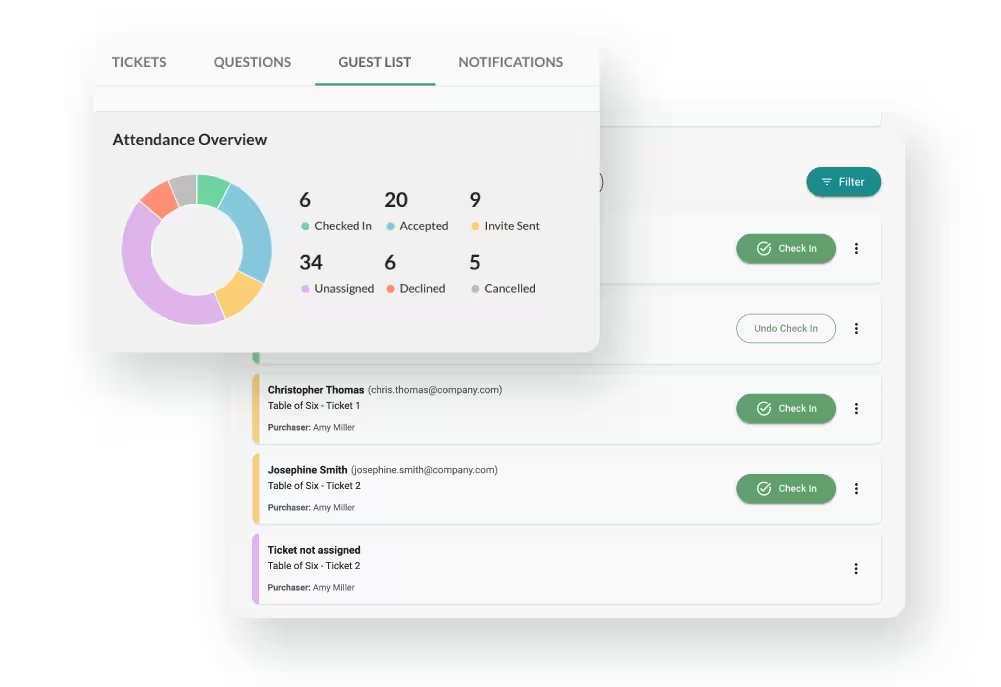
Ticketing platforms hold information about the people attending your event. At its simplest, that might be a name, email address and ticket purchase. For a gala or fundraising event, it can quickly include guest names, phone numbers, dietary requirements, accessibility information and other registration answers.
That information also moves. Guest lists get downloaded, caterers receive spreadsheets, volunteers are given access and committee members come and go.
Good ticketing security is therefore not just about whether the software is secure. It is also about what you collect, who can access it and what happens to it after the event.
What Information Does Event Ticketing Actually Collect?
Start with the information you ask attendees to provide.
Some of those fields are necessary. Others are choices.
Every additional registration question creates another piece of information for your organization and its ticketing provider to look after.
Dietary and accessibility information deserves particular care. An answer can sometimes reveal considerably more about a person than the event organizer intended to collect.
A useful test is simple: what are we going to do with this answer?
If there is no clear answer, don't collect it.
For more on deciding what belongs in ticket registration, see our guide to event registration vs ticketing.
Here are seven questions worth asking about your ticketing setup.
1. Does Card Data Ever Reach the Ticketing Platform?
Find out what happens when someone enters their card details.
Ideally, card information is collected directly by a specialist payment processor rather than being stored by your organization or ticketing provider. That reduces the amount of payment data your event team has to handle and substantially simplifies PCI DSS compliance.
There is an equally important rule for your own team: don't undo that protection by collecting card numbers separately.
Avoid taking card details in emails, spreadsheets, paper forms or committee messages. If somebody needs to pay remotely, send them through the proper checkout.
The details of PCI DSS, processing fees, Stripe and payment flows are covered separately in our guide to payment processing for US nonprofit ticket sales.
2. Can Administrator Accounts Use Multifactor Authentication?
A password should not be the only protection on an account that can access attendee and transaction information.
Multifactor authentication, or MFA, requires another verification step when someone logs in. An authenticator app, passkey or hardware security key provides stronger protection than relying on a password alone.
CISA recommends MFA for administrative accounts and recommends phishing-resistant methods where they are available.
Ask your provider:
Can every administrator enable MFA on their own account?
Then make sure the people running your event actually use it.
3. Does Everyone Have Their Own Login?
One administrator login passed around a committee creates several problems.
When somebody leaves, you cannot remove only their access. If something is changed, it becomes harder to establish who did it. And a password shared by email or message is only as secure as every person and device that has received it.
Give administrators individual accounts wherever your platform allows it.
The same principle applies to temporary event staff. Someone helping at check-in does not necessarily need to be made an administrator of the organization's entire ticketing setup.
Before the event, identify everyone who currently has access and decide whether they still need it.
Do the same after the event. Gala committees change, volunteers move on and suppliers finish their work. Access should change with them.
4. Who Can Access and Export Attendee Data?
The security built into your ticketing platform cannot protect a spreadsheet after somebody downloads it.
An attendee export can end up on a committee member's laptop, in an email attachment, in a shared drive and then in another spreadsheet sent to the caterer.
That is often necessary. But the recipient rarely needs every field you have collected.
A caterer might need a guest name and dietary requirement. They probably do not need that person's email address, phone number, ticket price or fundraising history.
Before sharing attendee data, ask:
What does this person actually need to do their job?
Then send only that information.
It is also worth knowing who within your organization can create full exports. An attendee database should not become something everybody involved with an event automatically downloads.
Once the event is over, review the working copies that were created along the way. A spreadsheet that nobody needs anymore is simply another copy of your supporter data that could be lost, forwarded or accessed later.
If your objective is to move useful event information into your fundraising database, our separate guide to getting ticket data into your CRM covers what should move between the two systems.
5. Are You Collecting More Information Than You Need?
Ticket forms have a tendency to grow.
One person asks for job titles. Somebody else adds company names. The caterer wants dietary requirements. Last year's committee added a question that nobody remembers the purpose of.
Eventually every attendee is answering questions simply because the fields are there.
That creates two problems. It adds friction to buying a ticket and creates information you are responsible for protecting.
Review your registration form before each event and challenge every field.
If you need an attendee's dietary requirements to serve dinner, collect them. If nobody can explain why you still need their job title, remove it.
The objective is not to collect as little information as possible. It is to collect what you actually need to run the event.
6. How Long Is Event Data Kept?
Information that no longer exists cannot be exposed in a future breach.
That makes retention one of the less technical but more effective security controls available to an event organizer.
The Federal Trade Commission's action against fundraising software provider Blackbaud illustrates why. Following Blackbaud's 2020 breach, the FTC said the company had retained information longer than necessary and required it to introduce a data-retention schedule and delete data it no longer needed.
Ask your ticketing provider:
What happens to our event and attendee information after the event closes?
Then ask the same question inside your organization.
You may have ticket records that need to be kept for accounting or other legitimate purposes. That does not necessarily mean you also need to keep old catering spreadsheets, seating-plan working files, dietary information and copies of attendee exports indefinitely.
Decide what needs to be retained, why, and who is responsible for deleting the rest.
7. What Happens If the Ticketing Provider Has a Security Incident?
Some of your supporter information sits in systems you do not control.
That is unavoidable when you use a third-party ticketing platform, which makes the provider's response to a security incident part of your own risk.
Ask before there is a problem:
- How will you tell us if our data is affected?
- How quickly will you tell us?
- What information will you provide?
- Who is our point of contact?
- What assistance will you provide if affected supporters need to be contacted?
The Blackbaud incident is useful here too. The FTC said the company waited nearly two months after discovering the breach to notify customers and subsequently required changes to its information-security and breach-response practices.
The point is not to find a provider that promises a breach could never happen.
It is to know what happens if one does.
Five Ticketing Security Mistakes to Avoid
Sharing One Administrator Account
Create individual administrator accounts rather than passing one password around the event committee.
Forgetting About Temporary Access
Review administrators, volunteers and other users when the event ends. Someone who needed access on Saturday night does not necessarily need it six months later.
Sending Everyone the Complete Guest List
Create smaller working lists containing only the information required for the task.
Keeping Sensitive Registration Answers Indefinitely
Once dietary, accessibility or other event-specific information is no longer required, consider whether there is a reason to retain it.
Collecting Card Details Outside Your Ticketing Checkout
Keep card information inside the proper payment process. For suspicious transactions, card testing, duplicate tickets and related threats, see our guide to nonprofit ticket fraud prevention.
Pre-Event Ticketing Security Checklist
Before ticket sales open, and again shortly before the event, check that:
- Every administrator has their own account
- MFA is enabled for administrator accounts where available
- Former committee members and staff no longer have access
- Event volunteers have appropriate access for the work they are doing
- Every registration question has a clear purpose
- Card details are collected through the proper checkout
- You know who can access and export attendee information
- Suppliers receive only the attendee information they require
- Old guest-list and registration files are not being kept without a reason
- You know your ticketing provider's data-retention policy
- You know who to contact if you suspect a security problem
None of these requires an IT security team. They require someone to take ownership of how attendee information is handled around the event.
How GalaBid Handles Ticketing Security
GalaBid uses Stripe to process card payments. GalaBid's privacy policy states that card information is collected and processed by Stripe and that GalaBid does not store or have access to that billing information.
Organizations can add individual administrators to their GalaBid organization rather than sharing one administrator login. MFA can also be enabled on individual GalaBid accounts using an authenticator app.
For in-person events, GalaBid also provides Volunteer Accounts. These can be used by event staff for activities including registering and assisting participants. GalaBid recommends creating separate volunteer accounts so activity can be identified by volunteer. Because Volunteer Accounts can perform a range of participant-management actions, they should still be treated as access to supporter information and removed or controlled appropriately.
Organizers control much of the additional information collected from ticket holders. GalaBid's ticketing forms support custom questions for information such as dietary requirements and seating preferences, allowing organizers to choose which questions are relevant to their event rather than collecting the same extended information from everyone.
GalaBid also publishes its retention policy. Campaigns are automatically hidden two years after closing and deleted one year later. Users associated with those campaigns may be deleted at the three-year point if they do not appear in another GalaBid campaign, while invoices are kept for seven years.
More information about GalaBid's infrastructure and privacy approach is available on our Security page and in the GalaBid Privacy Policy.
Frequently Asked Questions
What information should a nonprofit collect when selling event tickets?
Collect the information required to sell the ticket and run the event. That may include contact details, guest names and event-specific information such as dietary requirements. Avoid adding questions unless you know how the answer will be used.
Who should have access to nonprofit attendee data?
Only people who need the information for their role. Administrators should have individual accounts, and event volunteers or suppliers should not automatically receive access to the complete attendee dataset simply because they are helping with one part of the event.
Should event volunteers have administrator access?
Not necessarily. If your ticketing platform offers a separate event or volunteer access option, use it where appropriate rather than making everyone an organization administrator. Check what that access actually allows rather than assuming the word "volunteer" means it contains no sensitive information.
How should we share dietary requirements with a caterer?
Provide the information the caterer needs without automatically including unrelated attendee information. A purpose-specific list is safer than sending the full registration export.
How long should nonprofits keep ticketing information?
There is no single retention period appropriate for every type of event data. Keep information where you have a legal, accounting or operational reason to retain it, and establish a process for deleting information that is no longer needed. Your ticketing provider should also publish or explain its own retention policy.
What should we ask a ticketing provider about security?
Ask about MFA, individual user accounts, access to attendee data, exports, card-data handling, data retention and what happens if the provider experiences a security incident.
Keep Control of the Data Around Your Event
A secure payment page is important, but it is only one part of protecting attendee information.
Know what you collect. Give people their own accounts. Limit unnecessary exports. Remove access when people leave. Delete information when you no longer need it. And understand what your ticketing provider will do if something goes wrong.
Those are practical controls an event team can put in place before the first ticket is sold.
For more on the wider process, see our nonprofit ticketing overview, event registration vs ticketing, payment processing for US nonprofit ticket sales, getting ticket data into your CRM, and nonprofit ticket fraud prevention.
More articles about Ticketing & Check-in for Fundraising Events
About GalaBid
Ideal for donations. Perfect for Raffles. Awesome for Live and Silent Auctions! GalaBid’s online fundraising platform is designed for fundraisers of all types and sizes. For over 10 years we’ve been helping non-profits, charities, community clubs, churches, schools, and individuals to raise more and make a difference.