Virtual nonprofit event ticketing gets treated as an afterthought. The event is online, so the thinking goes, it should be free, and a registration form is enough.
That instinct costs you attendance and revenue at the same time. A free virtual event fills a registration list, not a room. People sign up because it costs nothing, and a large share of them never show.
Here is how to decide whether to charge, what to charge, and how to run virtual ticketing so the people who register actually turn up.
Should You Charge for a Virtual Event?
In most cases, yes. A price is the most reliable commitment device you have. Someone who has paid for a virtual event has made a decision, put it in their calendar, and is far more likely to be there when it starts. Someone who registered for free has made no commitment at all. Charging also filters your audience down to the people who actually want to attend, which is usually a better outcome than a longer list of names who do not.
Free vs. paid virtual nonprofit events
Why Free Virtual Events Get Fewer People in the Room
The gap between registering and attending is wider online than anywhere else. Live webinars convert registrations to live attendance at around 57%, so roughly four in ten registrants do not show up on the day.
Price changes that. Analysis of no-show rates by event type, drawing on PheedLoop's event dataset, puts free events at a median no-show rate of about 28% against roughly 17% for paid events. The pattern holds across formats: paying for something makes people turn up.
This matters more for fundraising than for a webinar. Your revenue depends on people being present when you make the ask, so a registration list that does not convert is not a soft loss. It is the whole event.
How to Price a Virtual Ticket
Start low and think in terms of commitment rather than cost recovery. Virtual events have almost no per-person cost, so you are not pricing a dinner. You are pricing a decision.
For most nonprofit virtual events, something in the range of $10 to $35 does the job. It is enough to mean something and low enough that nobody agonizes over it. Above that you need a specific reason: a well-known speaker, professional development value, or something the attendee receives.
Tiers work well online. A standard ticket, a supporter ticket at two or three times the price for people who want to give more, and a free or discounted option for anyone who needs it. Our guide to pricing nonprofit event tickets covers the models in more depth.
Controlling Access Without Annoying People
Virtual access control has one job: make sure the people who paid can get in easily, and make sharing the link inconvenient enough that most people do not bother.
Send the joining details in the ticket confirmation and again on the day. Do not make people log into an account to find them, and do not send a generic link to your whole list, which quietly makes the ticket pointless.
Perfect enforcement is not worth chasing. Someone forwarding a link to a colleague is a small loss compared to the supporters you lose to a complicated joining process. Set the friction low and accept a little leakage.
The Replay Is Part of What You Sell
This is the most underused piece of virtual ticketing. Around 45% of webinar attendees watch on demand rather than live, and making sessions available on demand by default can increase total views by up to 80%.
So sell access, not attendance. Say clearly on the ticket page that buyers get the recording, and the timezone problem, the clashing meeting and the sick child all stop being reasons not to buy.
It also rescues your no-shows. Someone who paid and could not make it still gets what they paid for, which protects the relationship and makes them far more likely to buy again next year.
What Virtual Ticketing Changes About Tax Receipts
There is a US tax angle here that works in your favor, and almost nobody mentions it.
At an in-person gala, the attendee receives a meal, so only the amount paid above the fair market value of that meal is deductible, and you must provide a written disclosure when the payment exceeds $75. At a virtual event with no meal and no physical benefit, what the attendee receives is often of insubstantial value, which can mean a much larger share of the ticket price is deductible.
The IRS guidance on substantiating charitable contributions sets out the quid pro quo rules and the exceptions, including where goods and services are treated as insubstantial. Note that if your virtual ticket includes something delivered, such as a cocktail kit or a gift box, that benefit has value and the calculation changes.
This is worth saying on your ticket page, because a higher deductible share is a real reason to buy. GalaBid does not provide tax advice, so confirm the treatment for your event with your own adviser before you publish any figures.
Five Steps to Set Up Virtual Event Ticketing
1. Decide the Price Before the Program
Set the price first and build content that justifies it, rather than finishing the program and guessing what it is worth. The price shapes who you invite and how you promote it.
2. Create Tiers, Not One Ticket
A standard ticket, a supporter tier for people who want to give more, and a concession or free option for anyone who needs it. The supporter tier usually raises more than the price difference suggests.
3. Put the Replay in the Offer
State on the ticket page that buyers get the recording. It removes the biggest objection to paying for something at a fixed time.
4. Send Joining Details Three Times
On purchase, the day before, and an hour before. The last one does more for turnout than anything else you will do.
5. Keep the Checkout Short
Name, email, payment. Collect anything else afterwards. A long form on a virtual event ticket is friction with no purpose.
How GalaBid Helps
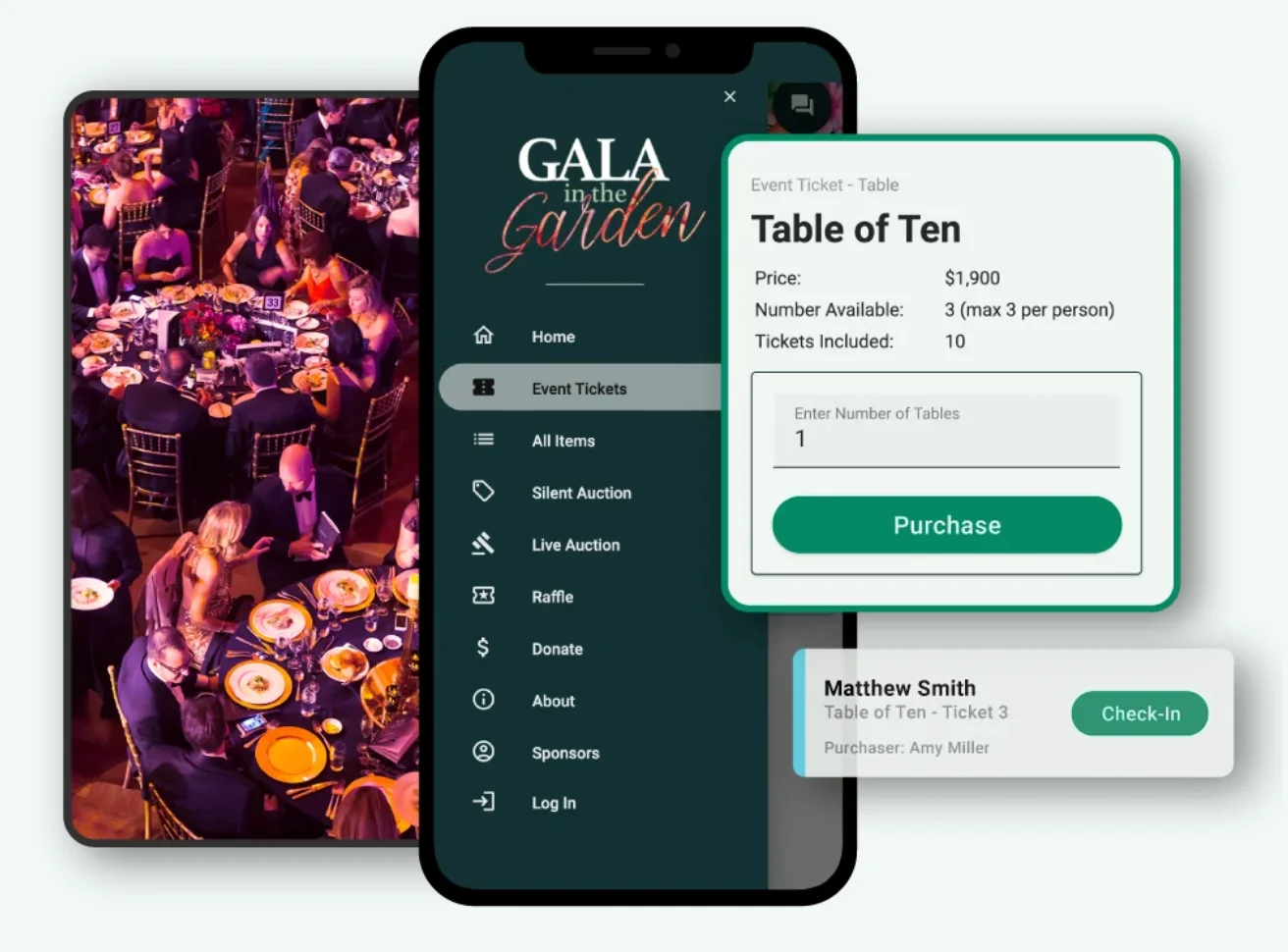
Free & Paid Tickets and Multiple Ticket Types cover the tiering, so a standard ticket, a supporter tier and a concession can sit on the same page with separate prices and allocations.
Shareable Links give you something to send in email and social posts, and Custom Registration Fields let you keep the checkout to the essentials while still collecting what you need later. Payments run through Stripe on Secure Payment.
Because ticketing can run standalone or connect to your wider fundraising, you can pair a virtual event ticket with online ticketing for fundraising events and run the ask alongside it rather than as a separate exercise. See the full fundraising event features for what that includes.
Frequently Asked Questions
Should nonprofits charge for virtual events?
Usually yes. Payment is the strongest commitment device available, and free virtual events carry markedly higher no-show rates than paid ones. Keep the price modest, and offer a free or concession tier so cost never excludes anyone who wants to attend.
How much should a virtual fundraising event ticket cost?
For most nonprofit virtual events, $10 to $35 works. You are pricing commitment rather than covering catering, so the number only needs to be enough that people take it seriously. Charge more only when there is a specific reason, such as a well-known speaker or something the attendee receives.
How do you stop people sharing a virtual event link?
You mostly cannot, and chasing it is rarely worth the effort. Send joining details in the ticket confirmation and again on the day, avoid publishing the link anywhere public, and accept a small amount of sharing. A complicated joining process costs you more than the leak does.
Should you give ticket buyers the recording?
Yes, and say so before they buy. Close to half of webinar attendees watch on demand rather than live, and offering the replay removes the timezone and scheduling objections that stop people purchasing. It also means a no-show still receives what they paid for.
Are virtual event tickets tax deductible?
Often more so than in-person tickets, because the attendee usually receives nothing of substantial value in return. The rules on quid pro quo contributions still apply, and anything you send attendees has a value that must be accounted for. Confirm the treatment for your event with your own adviser.
In Summary
Charge for your virtual event, keep the price modest, and offer a tier for people who want to give more and a free option for those who need it. Payment is what turns a registration into an attendee.
Then sell the replay as part of the ticket, keep the checkout to three fields, and send the joining link three times. Those four things will do more for your turnout than any amount of extra promotion.
More articles about Ticketing & Check-in for Fundraising Events
About GalaBid
Ideal for donations. Perfect for Raffles. Awesome for Live and Silent Auctions! GalaBid’s online fundraising platform is designed for fundraisers of all types and sizes. For over 10 years we’ve been helping non-profits, charities, community clubs, churches, schools, and individuals to raise more and make a difference.