Event registration and ticketing sound like two names for the same thing, and most nonprofit software comparisons treat them that way. They are not the same, and at a fundraising event the difference shows up fast.
Ticketing sells admission. Registration works out who is actually coming. If one supporter buys a table of ten, ticketing hands you one name and one payment. Registration hands you ten people, ten meal choices and a seating plan.
Most fundraising events need both. Here is how to tell what yours needs, and what breaks when you choose a tool that only does half the job.
Event Registration vs. Ticketing: The Short Answer
Ticketing and registration solve two different problems. Ticketing is a checkout. It sets a price, takes the payment, issues something scannable, and stops selling when you reach capacity. Registration is a form with a purpose. It collects names, meal choices, accessibility needs and anything else you need to know before the doors open. A nonprofit event that charges admission and seats people needs both, because a single transaction can cover ten attendees.
Event ticketing vs. event registration at a glance
What Event Ticketing Actually Does
A ticketing tool is built to complete a sale, and everything it does well follows from that. It gives you a price, a checkout, a receipt and a record that someone paid.
In practice that means setting ticket types and prices, taking payment securely, issuing something the attendee can show at the door, and closing sales once you hit your limit. Good nonprofit event ticketing also lets you run more than one ticket type at once, so an early bird seat and a full-price seat can sell side by side.
What ticketing does not do is describe the people coming. It knows a transaction happened. It does not know that the person who paid is bringing nine colleagues, one of whom uses a wheelchair and two of whom are vegetarian.
What Event Registration Actually Does
Registration exists to answer a different question: who is walking through the door, and what do you need to know about them first?
That covers the names of everyone attending, dietary and meal choices, accessibility requirements, session or activity selections, waivers, and any custom detail your event depends on. The output is a list of people rather than a list of payments.
Registration is also what makes the day itself work. Catering numbers, place cards, name badges and table management all run off registration data, not off ticket sales.
The Difference That Actually Matters: Buyer vs. Attendee
Here is the distinction almost every comparison misses. Ticketing knows the buyer. Registration knows the attendees. At a fundraising event those are usually not the same people.
Picture a gala. A local business buys a table of ten for $2,500. Your ticketing report shows one transaction, one email address and one name. Nine of the people in the room are invisible to you until someone chases them down.
That gap has consequences. You cannot seat people you cannot name. You cannot cater for dietary needs you have not asked about. You cannot follow up after the event with supporters whose details you never captured, which means the list you worked all year to build is smaller than your attendance figure suggests.
It is also why "how many tickets did we sell" and "how many people are coming" are two different numbers, and why the second one is the one your caterer needs.
When You Need Ticketing Only
Sometimes a checkout really is all you need. If you are charging for admission, selling one seat per buyer, and there is nothing you need to know in advance, ticketing on its own is fine.
A film night, a quiz night, general admission to a fun run: people pay, they turn up, they take any open seat. Adding a registration layer here creates work without creating value.
Be honest about how many of your events really fit this shape. For most nonprofits it is a smaller share than expected.
When You Need Registration Only
The reverse case is a free event with something to organize. Volunteer sign-ups, community workshops, free information sessions, open days with limited capacity.
There is no payment to take, so a ticketing checkout has nothing to do. What you still need is a capped list, the details of who is coming, and something to check people against on arrival.
Free does not mean simple. A free event with 200 seats and no capacity control is a harder problem than a paid one.
When You Need Both (Most Fundraising Events)
The moment you charge for admission and care who is in the room, you need both jobs done in one place. These are the event types where that applies most often.
1. Charity Galas and Fundraising Dinners
Tables get sold as a unit, guests get seated deliberately, and the kitchen needs a headcount by dietary requirement. This is the clearest case for both, and the one where a ticketing-only tool costs you the most time.
2. Golf Days and Tournaments
Teams buy together, but you need individual names to build a draw, assign carts and set tee times. One payment, four players, four sets of details.
3. Conferences and Summits
Attendees pay for a place, then choose sessions, workshops or streams. Room capacities depend on those choices, so the registration side has to happen before the day, not on it.
4. Free Events With Paid Add-Ons
Entry is free, but the dinner, the workshop or the after-party is not. You are running registration for everyone and ticketing for a subset, and the two lists have to reconcile.
Five Questions to Decide What You Need
If you are still unsure which side of the line your event falls on, work through these. Each yes points toward needing the full picture rather than half of it.
1. Are You Charging for Admission?
If yes, you need ticketing, and you need it connected to payment processing you trust. If no, a registration form may be all you require.
2. Do You Need to Know Who Is Actually Coming?
Not who paid, who is attending. If your answer involves names, dietary requirements or job titles, ticketing alone will not get you there.
3. Are You Seating People?
Assigned seating, tables, teams or groups all require attendee-level data. A seating plan built from a list of buyers will be wrong before you start.
4. Do You Need Information Before the Event Rather Than at the Door?
Catering numbers, accessibility arrangements and name badges all have deadlines earlier than the event itself. Collecting details on arrival is too late for every one of them.
5. Will You Fundraise From This List Again?
Your attendee list is the start of next year's campaign. If you only capture buyers, you keep a fraction of the supporters who were actually in the room.
Three or more yeses and you should be looking for one system that does both, not two tools you reconcile by hand.
What Goes Wrong When You Choose Only One
The failure modes are predictable, and both of them land in the final fortnight when you have the least time to spare.
Ticketing only. You have the funds in, and no idea who is coming. The last two weeks become a chase: emailing table buyers for guest names, collecting dietary requirements in a spreadsheet, and rebuilding a seating plan every time someone replies.
Registration only. You know exactly who is coming, and you are reconciling payments by hand. There is no capacity control, nothing scannable at the door, and a check-in process that runs off a printed list.
There is a compliance dimension too. In the United States, if an attendee pays more than $75 and receives something in return, such as a meal, the IRS requires you to give a written disclosure stating the deductible portion of their payment and a good faith estimate of what they received. The IRS guidance on substantiating charitable contributions sets out the rule in full.
Meeting that obligation means holding both the ticket price and the fair market value of what the ticket includes, per ticket type. That is a data problem, and it is much easier to solve when ticketing and registration sit in the same place. Your software does not make the disclosure for you, but it should hold the information you need to make it.
How GalaBid Handles Both
GalaBid treats ticketing and registration as one job rather than two products. You set up Free & Paid Tickets and Multiple Ticket Types on the ticketing side, then use Custom Registration Fields to collect whatever you need from each attendee.
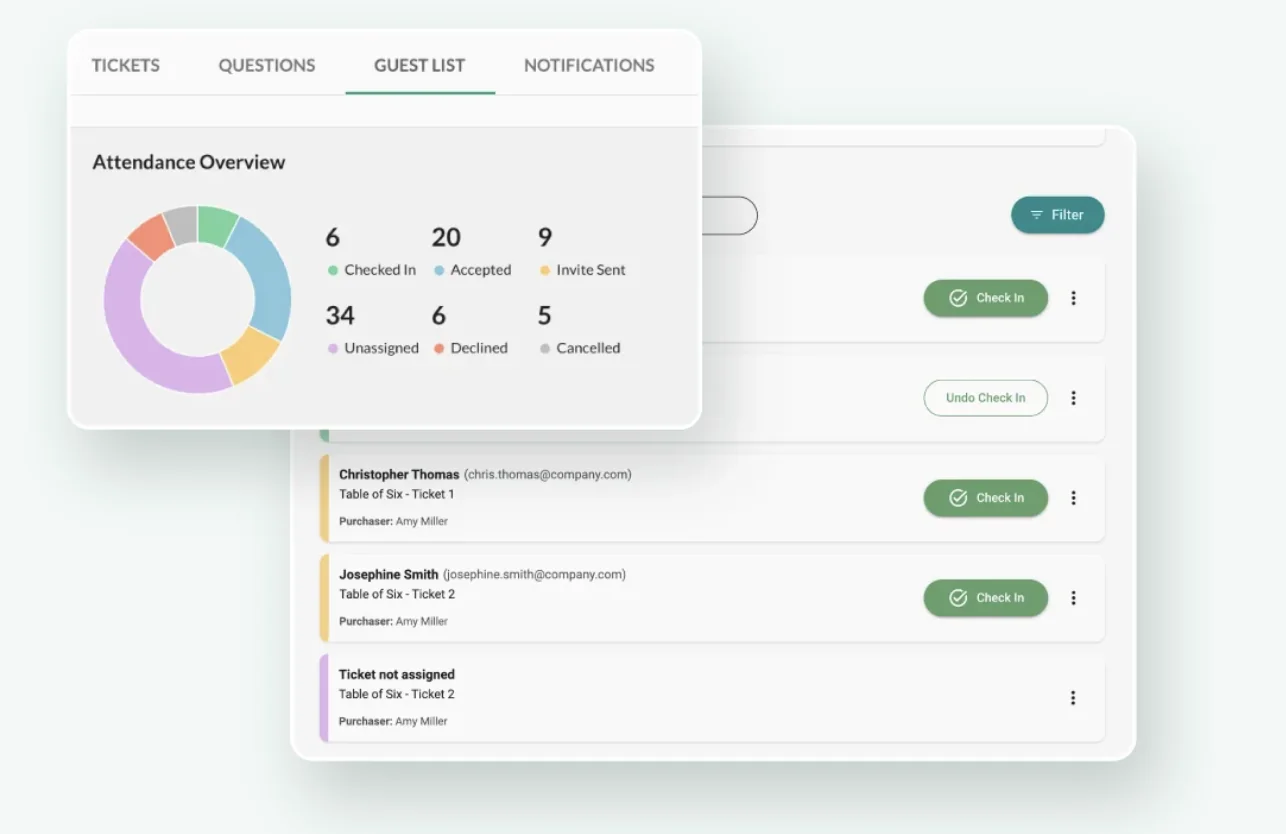
Table Sales and Guest Management is the part that closes the buyer versus attendee gap directly. A supporter buys a table, then the guests attached to that table are invited and tracked individually, so you end up with people rather than a single transaction.
From there, Event Check-in and Ticket Tracking runs the door, with capacity management on both the event and each ticket type. Payments and tax processing run through Stripe. You can run ticketing on its own, or connect it to online fundraising so ticket buyers move straight into your wider fundraising event activity.
Frequently Asked Questions
Is event registration the same as ticketing?
No. Ticketing sells admission and processes the payment, while registration collects information about the people attending. They often appear in the same platform, which is why the terms get used interchangeably, but they do different jobs. Most paid fundraising events need both.
Can you run registration without selling tickets?
Yes, and it is common for free events. Volunteer sign-ups, community workshops and open days all need a capped list and attendee details without any payment involved. You still benefit from a check-in process on the day.
Does a free nonprofit event need registration?
If the event has limited capacity, or you need to contact attendees beforehand, then yes. Free events without registration routinely run into overcrowding, no-shows you cannot plan for, and no record of who attended. It also costs you the supporter list the event could have built.
How do you collect guest names when someone buys a whole table?
You need a system that separates the purchase from the people. The buyer completes one transaction, then either supplies the guest details themselves or forwards an invitation so each attendee registers individually. Read more about event ticketing and check-in for how this flows through to the door on the day.
Are nonprofit event tickets tax deductible?
Only partly, in most cases. When an attendee receives goods or services such as a meal, only the amount paid above the fair market value of what they received is deductible. If the payment is more than $75, you are required to provide a written disclosure. Check the current IRS guidance and speak to your own adviser, as GalaBid does not provide tax advice.
In Summary
Event registration and ticketing are not competing products, and choosing between them is usually the wrong question. Ticketing answers what you sold. Registration answers who is coming.
For a film night, ticketing alone is enough. For a free workshop, registration alone will do. For almost every gala, dinner, golf day or conference, you need both, and you want them in one system rather than reconciled by hand. If you are weighing up platforms, our guide to free versus paid ticketing platforms is a useful next step.
More articles about Ticketing & Check-in for Fundraising Events
About GalaBid
Ideal for donations. Perfect for Raffles. Awesome for Live and Silent Auctions! GalaBid’s online fundraising platform is designed for fundraisers of all types and sizes. For over 10 years we’ve been helping non-profits, charities, community clubs, churches, schools, and individuals to raise more and make a difference.