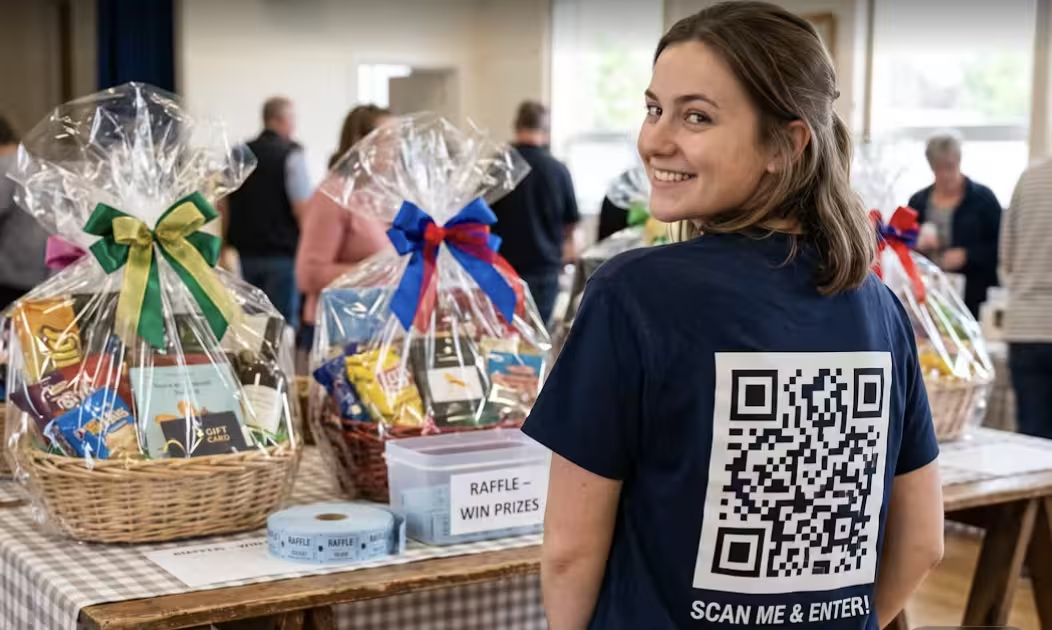
A few years ago, selling raffle tickets meant a clipboard, a cash box, and someone standing by a table hoping people would stop. Today, most of that same job can be done with a small square of black and white pixels printed on a poster, a brochure or even a tshirt!.
A QR code raffle simply means using a scannable code to connect anything printed, or anything on screen, straight to your raffle ticket page. Someone points their phone camera at the code, and within a couple of seconds they're looking at your raffle and deciding whether to buy a ticket. No typing a website address, no searching for your organization on Google, no losing them somewhere in between.
For nonprofits running raffles with a small team and a limited budget, that removal of friction matters more than it might sound like it should. Every extra step between "interested" and "bought a ticket" is a chance for someone to get distracted and move on. This guide walks through where QR codes actually make a difference in a raffle campaign, how to place them so they are easy and fun to use.
Why QR Codes Work for Charity Raffles
QR codes aren't complicated, but they solve a genuinely practical problem for fundraising teams.
They get people to the ticket page faster. Instead of announcing a web address out loud or printing a long URL that someone has to type correctly on a small phone keyboard, a scan takes care of it in one motion.
They cut down on manual work. Volunteers don't need to walk people through how to find your raffle online, take down names, or manually enter details. The code does that part.
They fit how people already use their phones. Most smartphones can scan a QR code directly through the camera app now, no separate scanner app required. That's a low bar to clear for participation.
They work just as well for in-person events as they do for online promotion. The same code that sits on a table at your gala can also go into an email, a social post, or a printed flyer, and it behaves the same way everywhere.
They're easy for volunteers to explain and promote. "Just scan this with your phone" is a much easier instruction to give a room full of event guests than walking someone through a web address.
They support both online and in-person raffles at the same time, which is useful if your organization is running a hybrid campaign or wants people at a physical event to also be able to buy tickets digitally rather than queuing at a table.
None of this guarantees more ticket sales on its own. What it does is remove a layer of friction between someone deciding they want to support you and actually completing that action, and friction is usually where potential ticket sales quietly disappear.
Where to Use QR Codes During a Fundraiser
QR codes are only useful if they're somewhere people will actually see and scan them. A code buried in the fine print of a flyer isn't going to do much work.
Here's where they tend to earn their place:
A code on a table display is doing a different job than one on a printed booklet at a gala dinner. The table display needs to work in a glance, someone scanning it mid-conversation. A QR code on a booklet has more room to be explained.

A QR code on a big screen display at fundraising event needs to be close enough to where guests are passing by in order for it to be scannable.
Thinking about who's actually looking at each placement, and what they're doing at that moment, makes it much easier to decide where a code is worth the space.
Add QR Codes to Your Digital Marketing
QR codes aren't only for print. They're just as useful woven into the digital channels you're probably already using to promote the raffle.
Email newsletters. A code alongside your usual ticket link gives mobile readers a faster path in, particularly useful if a large share of your list opens email on their phone.
Facebook posts. Including a code image alongside your regular post can work well for supporters who'd rather scan than click through several screens on a mobile browser.
Instagram Stories. Stories are built for quick taps and swipes, and a QR code sticker fits that same instinct, letting someone act immediately instead of hunting for a link in your bio.
Digital event invitations. If you're sending invitations through email or a platform like Evite, a code gives recipients an immediate way to buy a ticket without needing to separately find your website.
Volunteer communications. Give your volunteers a code they can share directly, in texts, group chats, or however they're already reaching their own networks.
Event websites. Even on a page that already has a "Buy Tickets" button, a QR code is useful for anyone who's viewing the page on a laptop but wants to complete the purchase on their phone.
The common thread across all of these is convenience for whoever's on the receiving end. A QR code doesn't replace a good link or a clear call to action. It just gives people another, often faster, way to take the same action.
Best Practices for QR Code Design
A QR code that's hard to scan is worse than no QR code at all, because it wastes someone's attention and goodwill. A few basics go a long way:
- Use high contrast. Black on white is the safest choice. Light colors on light backgrounds, or codes placed over busy photos, are much harder for phone cameras to read.
- Choose an appropriate size. A code on a large event poster needs to be big enough to scan from a few feet away. The same code shrunk down onto a business card needs to still be clear at close range. Test the actual printed size before ordering a large run.
- Include clear instructions. Most people know what a QR code is, but a short line like "Scan to buy your raffle ticket" removes any doubt about what happens next.
- Add a short call to action. Pair the code with a few words that create some motivation, not just an instruction. "Scan for your chance to win" does more work than "Scan here."
- Test before printing. Scan every code yourself, on more than one phone, before it goes on anything you can't easily reprint. This takes two minutes and prevents a genuinely costly mistake.
- Keep branding consistent. If your raffle has its own colors or design elements, carry them into the surrounding materials, not necessarily the code itself, since a heavily styled QR code can sometimes become harder to scan.
Create a Better Mobile Experience
A QR code's only job is to get someone to a page. What happens after that scan is what actually decides whether they buy a ticket.
The raffle page needs to be built for mobile first, not just technically viewable on a phone. Most people scanning a code are doing it on their phone, standing up, possibly mid-conversation. Choose a raffle platform that works seamlessly across all mobile devices.
Keep the ticket purchase process simple. The fewer steps between landing on the page and completing a purchase, the better. Every additional field or screen is another chance for someone to give up.
Pages need to load quickly. Someone who scanned a code at an event, standing in a room full of other people also on their phones, isn't going to wait around for a slow page. If it hasn't loaded in a few seconds, they'll likely put their phone away.
Navigation should be obvious. Someone arriving via a QR code hasn't browsed your website first, so they need to immediately understand where they are and what to do, without hunting for a menu.
Checkout needs to be secure and reassuring. Especially for anyone buying a raffle ticket from an organization they may not know well, visible signs of a legitimate, secure payment process matter.
A clear confirmation page closes the loop. Once someone's purchased a ticket, they should see confirmation of exactly what they bought and when the draw is happening, so there's no doubt the purchase went through.
Think of the QR code as the front door and the mobile page as the room someone actually walks into. A great door leading into a confusing or slow room still loses the sale.
Common QR Code Mistakes
A few mistakes come up again and again, and most of them are easy to avoid once you know to look for them.
- Linking to the wrong page. A code that points to your homepage instead of the actual raffle page adds an unnecessary extra step, and sometimes loses the person entirely.
- Printing codes too small. A code that looks fine on a screen can be nearly impossible to scan once it's shrunk down onto a smaller printed item.
- Poor placement. A code positioned somewhere people naturally aren't looking, low on a poster, in a corner of a flyer, gets far fewer scans than one placed at eye level or alongside the main message.
- Not testing before the event. This is the mistake with the highest cost for the least effort. A broken or mistyped link discovered mid-event can't be fixed quickly. We sometimes see fundrasiers mistakenly print the QR code from the previous year's campaign.
- Missing instructions. A code with no context leaves people guessing whether it's worth their time to scan at all.
- Landing pages that are difficult to use on mobile. As covered above, this is often where a well-placed, well-designed code still fails to convert.
Each of these has a simple fix, mostly involving a bit of testing and a second pair of eyes before anything gets printed or published.
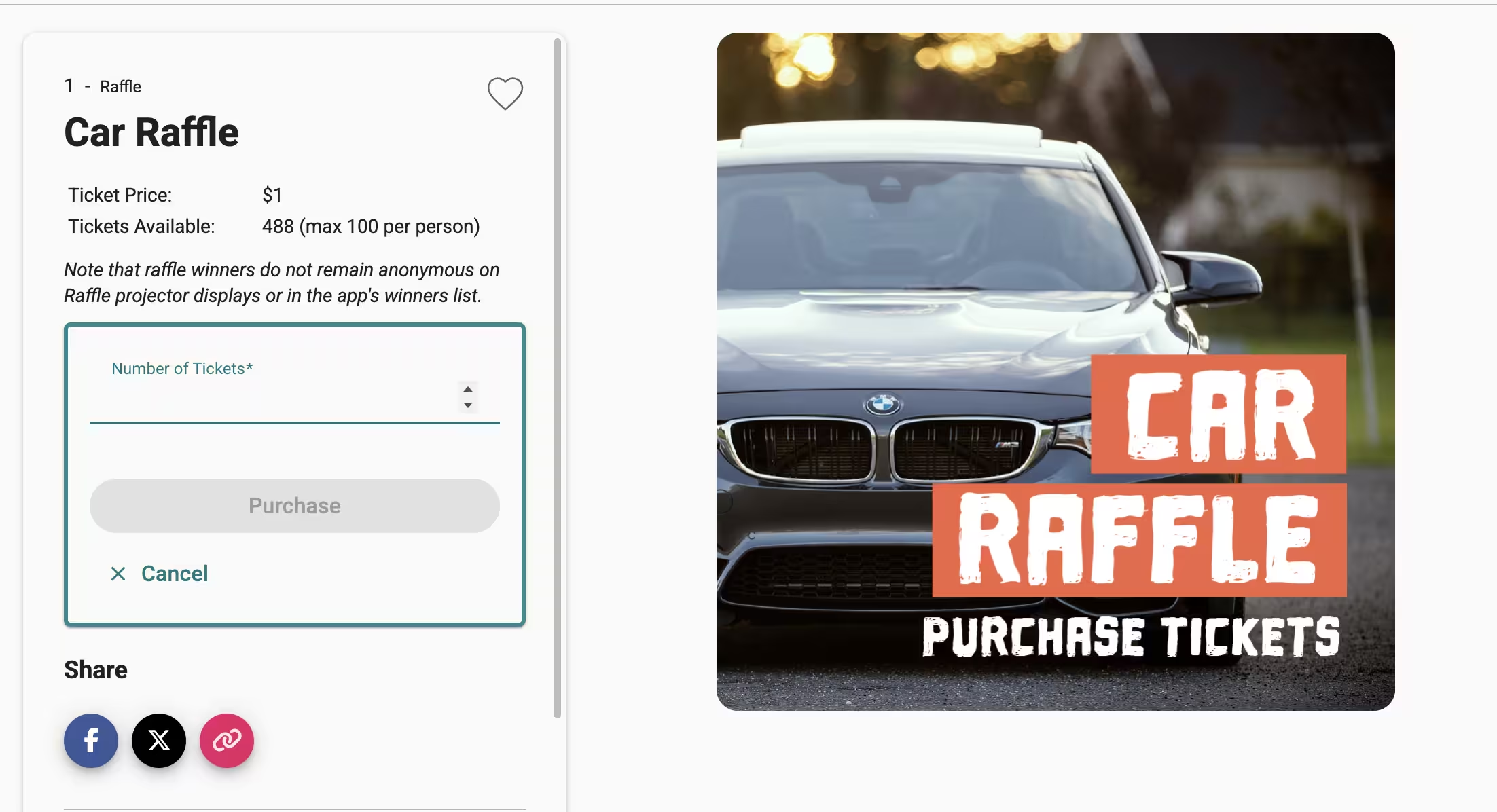
QR Code Checklist Before Launch
Before your raffle materials go out the door, run through this:
- QR code tested on more than one device
- Code links to the correct, current destination page
- Mobile version of the landing page checked and working
- Code printed clearly and at an appropriate size
- A short call to action included alongside the code
- Volunteers briefed on how to explain and promote the code
- Backup printed copies available in case materials run out
- Signage installed and visible in planned locations
Frequently Asked Questions
How do QR codes work for raffle ticket sales?
A QR code is a scannable image that a phone camera reads and turns into a link. For a raffle, that link usually goes straight to your ticket page, so someone can go from scanning to buying a ticket in a few taps.
Where should I display QR codes during a fundraiser?
Anywhere a supporter has a moment to notice and act, event posters, table displays, registration desks, printed programs, and business cards are all common, effective spots. The right placement depends on who's likely to be looking and what they're doing at that moment.
Do supporters need a special app to scan QR codes?
No. Most modern smartphones can scan a QR code directly through the built-in camera app, without downloading anything separately.
Can QR codes be used for both online and in-person raffles?
Yes. The same code can appear on a printed flyer at an event and in a digital email or social post, and it works the same way in either context. See our guide on promoting your raffle via social media.
How do I know if my QR code works correctly?
Scan it yourself on more than one phone before it's printed or published anywhere permanent. Confirm it opens the correct page and that the page itself loads properly on mobile.
What should a QR code link to?
Link directly to the raffle ticket page itself, not your homepage or a general information page. The goal is to remove steps, not add one back in.
Make Raffle Ticket Sales Easier with GalaBid
QR codes work best when the page behind them is just as simple as the scan itself. GalaBid helps nonprofits create mobile-friendly raffles that work seamlessly with QR codes, making it simple for supporters to buy tickets anytime and from anywhere, whether they're scanning a code at your event or from a flyer weeks later.
More advice articles about Raffle
About GalaBid
Ideal for donations. Perfect for Raffles. Awesome for Live and Silent Auctions! GalaBid’s online fundraising platform is designed for fundraisers of all types and sizes. For over 10 years we’ve been helping non-profits, charities, community clubs, churches, schools, and individuals to raise more and make a difference.