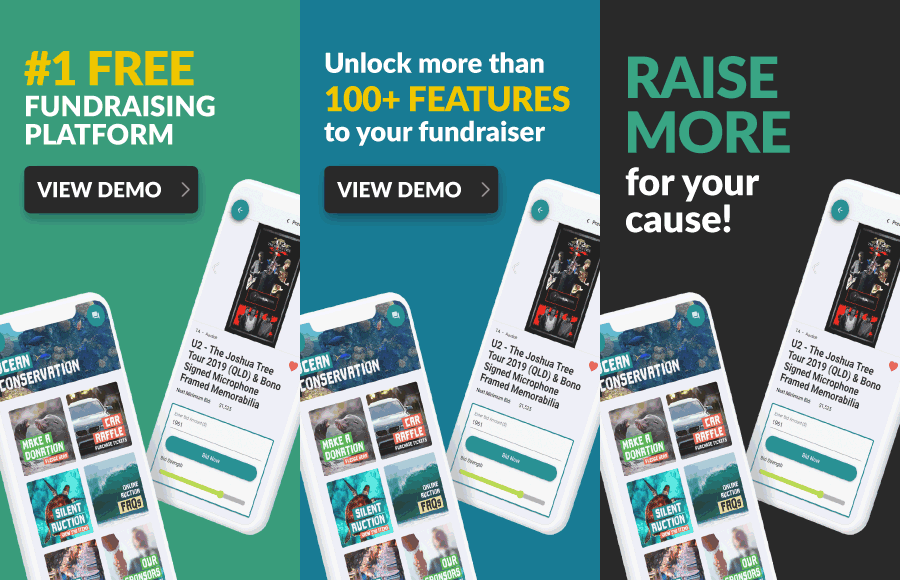
Fundraising software for nonprofits helps organizations manage donations, auctions, fundraising events, ticketing, payments and supporter participation digitally.
For Canadian nonprofits, choosing the right software is not simply about finding the longest list of features.
The system needs to match how your organization actually raises funds.
A nonprofit running an annual gala may need mobile bidding, event ticketing, guest check-in and live fundraising tools. A community organization may need a straightforward way to run an online auction. Another organization may want donations, raffles where permitted and event fundraising available through the same campaign.
Canadian organizations also need to consider CAD payments, processing fees, how fundraising funds reach their account and whether specific activities are subject to provincial or territorial requirements.
This guide explains what nonprofit fundraising software does, which features are useful and what Canadian organizations should consider when choosing fundraising technology in 2026.
What Is Fundraising Software for Nonprofits?
Fundraising software for nonprofits is technology designed to help organizations create, manage and track fundraising campaigns.
Instead of relying entirely on spreadsheets, paper forms, cash collections and separate systems, nonprofits can move more of the fundraising process online.
Depending on the software, organizations may be able to manage donations, silent auctions, live auctions, event tickets, guest check-in, paddle raises, raffles where permitted, online payments and supporter communications.
The software can be used for online campaigns, in-person fundraising events or a combination of both.
The right system should reduce unnecessary administration while making it simple for supporters to participate.
How Does Nonprofit Fundraising Software Work?
Most fundraising software begins with a digital campaign.
The nonprofit creates its campaign, adds its branding and explains what the fundraiser supports.
The organization then adds the fundraising activities it plans to use.
For a silent auction, this could include auction items, photographs, descriptions, starting bids and bidding rules.
For a gala, the campaign might include event tickets, tables, guest information, donations and an auction.
Once the campaign is ready, supporters can access it through a campaign link or QR code.
They can then participate using a phone, tablet or computer.
The nonprofit manages campaign activity through the software rather than manually recording every bid, ticket purchase or payment.
Why Do Nonprofits Use Fundraising Software?
Fundraising can become difficult to manage when campaign information is spread across several systems.
A nonprofit might have guest registrations in one spreadsheet, auction items in another, payments in a separate system and supporter communications somewhere else.
This creates more administrative work for staff and volunteers.
Fundraising software can bring more of those activities together.
Digital tools can help nonprofits manage supporter registration, bidding, event tickets, donations, payments and campaign reporting without relying on as many manual processes.
The benefit is not simply having more technology.
Good fundraising software should make the campaign easier for the organization to manage and easier for supporters to use.
Fundraising Software for Different Types of Nonprofits
Not every nonprofit raises money in the same way.
A local sports organization may run an annual auction.
A community association might organize several smaller fundraising events.
A foundation may host a large gala with ticketing, auctions and a paddle raise.
A school group could run an online auction that parents and families participate in from home.
The software should match those fundraising activities.
Organizations that primarily run events may need different tools from nonprofits focused on year-round donor management.
Before comparing software, identify what your organization needs to accomplish.
Online Donations
Online donations are one of the most common fundraising activities nonprofits consider when evaluating software.
The donation experience should be straightforward for supporters.
A donor should quickly understand who is fundraising, what the campaign supports and how to contribute.
Organizations should consider whether the software supports campaign branding, fundraising goals and mobile-friendly payments.
Payment handling also matters.
Ask which payment processor is used, what processing fees apply and where funds go after the supporter completes payment.
Canadian nonprofits should also understand the difference between collecting a payment and issuing an official donation receipt.
Those are not automatically the same thing.
Silent Auction Software for Nonprofits
Silent auctions can be an important source of fundraising at galas, school events, golf tournaments and community fundraisers.
Traditional silent auctions use paper bid sheets.
Digital fundraising software can move bidding online.
Supporters can browse auction items and submit bids from their phones rather than repeatedly returning to an auction table.
Useful auction functionality can include item catalogues, starting bids, minimum bid increments, maximum bidding, outbid notifications, overtime bidding, bidder registration, winner information and payment tracking.
If auctions are a major part of your fundraising strategy, test the complete bidder experience rather than evaluating the administrator dashboard alone.
Mobile Bidding
Mobile bidding allows supporters to participate in an auction directly from a smartphone.
This can be useful both at an event and for supporters participating remotely.
When comparing fundraising software, consider how quickly a new supporter can start bidding.
Does the participant need to download an app?
Can someone scan a QR code and access the campaign?
Is it easy to browse items?
What happens when the bidder is outbid?
Can the supporter place a maximum bid?
GalaBid operates through a web browser, so supporters can participate without downloading an app.
Maximum Bidding
Maximum bidding can make auction participation easier for supporters who do not want to monitor an item constantly.
A bidder enters the highest amount they are willing to pay.
The system can then increase their bid automatically when another supporter bids, up to the maximum amount entered.
For example, a supporter might set a maximum bid of CA$500 while the current bid is CA$300.
The bidder does not immediately pay CA$500. Instead, bidding can progress according to the auction's configured increments until the bidder's maximum is reached or the auction closes.
This can be particularly useful for remote participants who are not watching the auction continuously.
Outbid Notifications
Digital auctions can notify supporters when another participant has placed a higher bid.
Text or email notifications can bring the bidder back to the campaign while there is still time to respond.
This removes the need to repeatedly check a paper bid sheet.
When evaluating software, look at how notifications work and whether organizers can also communicate important campaign updates.
Notifications should help supporters participate rather than overwhelm them with unnecessary messages.
Overtime Bidding
Some online auctions use overtime bidding to reduce last-second bid sniping.
If a qualifying bid arrives close to the scheduled closing time, the auction can remain open for an additional period.
This gives other bidders an opportunity to respond.
The process can continue according to the campaign's overtime settings until no qualifying bid is received during the extension period.
For nonprofits running competitive auctions, this can create a clearer closing process than immediately ending bidding after a last-second bid.
Live Auction Management
Many nonprofit events combine silent and live auctions.
A silent auction may contain a larger catalogue of items while the live auction features a smaller number of high-interest packages.
If your nonprofit uses both, consider whether the fundraising software can manage them within the same campaign.
Keeping auction information together can simplify winner management and payment tracking after the event.
Event Ticketing
Fundraising software for nonprofits can also support event registration and ticket sales.
Organizations hosting galas, golf tournaments, dinners or other fundraising events may need to sell individual tickets or tables.
Digital ticketing can help organizers collect guest information before the event and understand expected attendance.
If the platform combines ticketing with fundraising, ticket purchasers may also be able to participate in donations, auctions and other campaign activities without moving between several unrelated systems.
Guest Check-In
Event check-in can become time-consuming when hundreds of guests arrive within a short period.
Fundraising software with check-in functionality can help volunteers identify guests and manage arrival digitally.
Ease of use matters here.
The people operating check-in may be volunteers who have limited experience with the system.
Test the process before event night and make sure organizers understand how to handle common situations such as guest changes or table assignments.
Paddle Raise and Fund-a-Need
A paddle raise gives supporters an opportunity to pledge directly to the nonprofit during a live fundraising event.
The host might ask for contributions at several giving levels, such as CA$5,000, CA$2,500, CA$1,000, CA$500 and CA$250.
Fundraising software can help record those pledges and connect them with the rest of the campaign.
If your nonprofit uses a fund-a-need format, make sure the software provides a simple process for identifying supporters and recording contributions.
The organization should also ensure that any statements about what specific donation amounts accomplish are based on information it can support.
Raffle Fundraising
Some nonprofit fundraising software includes raffle functionality.
Canadian organizations need to treat this differently from ordinary donations or auctions.
Raffles and other gaming activities are regulated provincially and territorially, and municipal requirements may also apply.
An organization may need a licence or other authorization before running a raffle or selling tickets online.
Access to raffle functionality within fundraising software does not replace these requirements.
Before launching a raffle, confirm the rules that apply to your organization and jurisdiction.
Buy It Now Fundraising
Not every supporter wants to compete in an auction.
Buy It Now items allow organizations to offer selected items at a fixed price.
Depending on the campaign, these could include merchandise, experiences or other appropriate fundraising items.
This can complement an auction by giving supporters another way to participate.
When using fixed-price items, clearly explain what the purchaser receives and any restrictions that apply.
QR Codes for Nonprofit Fundraising
QR codes can connect in-person fundraising with digital participation.
A nonprofit can place QR codes on event tables, auction displays, registration areas, presentation screens and printed materials.
Supporters scan the code and access the fundraising campaign from their phones.
The destination should always be clear.
If the QR code opens the auction, say so.
If it opens a donation page, tell supporters that before they scan.
Reducing uncertainty can make the supporter experience smoother.
Campaign Branding
Your fundraising campaign should feel connected to your nonprofit.
Look for software that allows appropriate use of your organization's logo, campaign imagery and fundraising message.
Sponsors may also need recognition at certain events.
Branding helps supporters understand whose campaign they are participating in and what cause their contribution supports.
Avoid letting the technology become the main focus.
The nonprofit and its fundraising purpose should remain at the centre of the campaign.
Fundraising Reporting
Reporting can help nonprofits understand campaign activity during and after a fundraiser.
Useful information depends on the type of campaign.
An auction team may want to review bidding activity and winning items.
An event organizer may need ticket and guest information.
A fundraising team may need payment records and overall campaign results.
Before choosing software, identify what information your team needs to manage the campaign and evaluate it afterward.
More reports are not necessarily better if your organization does not use them.
Fundraising Software for Online Campaigns
Nonprofit fundraising software does not require a physical event.
An organization can run a completely online campaign.
For example, a nonprofit could run an online silent auction for several days and invite supporters across Canada to participate.
The campaign can be promoted through email, text, social media, newsletters and other supporter communications.
For online-only campaigns, the digital experience becomes particularly important because supporters do not have event staff nearby to answer every question.
Campaign instructions should be clear and participation should be simple.
Fundraising Software for In-Person Events
Digital fundraising software can also support traditional fundraising events.
Guests at a gala can bid from their phones.
Supporters can make donations digitally.
Event staff can manage ticketing and check-in.
Auction activity or fundraising progress can be displayed during the event.
This allows nonprofits to maintain the community experience of an in-person fundraiser while reducing some of the manual work involved in managing it.
Fundraising Software for Hybrid Events
A hybrid campaign combines in-person and online fundraising.
Imagine a nonprofit hosting a gala in Toronto.
Guests at the event can participate in the silent auction through their phones while supporters elsewhere can also access appropriate parts of the campaign online.
This can extend participation beyond the physical venue.
If hybrid fundraising is important to your organization, confirm that the software can support both in-room and remote participants through the same campaign.
Canadian Dollar Payments
Canadian nonprofits should confirm that their fundraising software supports payments in Canadian dollars.
Do not stop at currency support.
Understand the complete payment process.
Which company processes the card payment?
Where does the money go?
How long does settlement take?
What processing fees apply?
Does the fundraising software add a markup?
Does the platform hold the organization's funds?
These questions can be just as important as the fundraising features themselves.
Where Do Fundraising Funds Go?
The flow of funds should be clear before a nonprofit launches a campaign.
Some fundraising models involve the platform receiving money before it reaches the organization.
Others process payments through an account connected directly to the nonprofit.
With GalaBid in Canada, online card payments are processed through the organization's connected Stripe Canada account.
GalaBid does not hold, delay or float the organization's fundraising funds before payout. Funds settle according to Stripe's normal process.
Understanding this structure helps nonprofits know where their fundraising proceeds are during the payment process.
How Much Does Fundraising Software for Nonprofits Cost?
Pricing varies between fundraising software providers.
Costs can include platform fees, percentage-based charges, subscriptions, event fees, payment-processing costs or optional supporter contributions.
Look at the complete pricing structure rather than only the headline price.
Ask which features are included.
Determine whether the platform charges differently as the campaign grows.
Check payment-processing fees separately.
GalaBid currently provides Canadian organizations with multiple pricing approaches, including a Free option with no platform fee and paid options. Stripe processing fees still apply to online card payments.
The right pricing structure depends on your organization's campaign size, fundraising model and preferences.
Fundraising Software and Canadian Donation Receipts
Canadian organizations should understand that a registered charity and a non-profit organization are not the same for tax-receipting purposes.
A Canadian non-profit organization is not automatically a registered charity and cannot issue official donation receipts simply because it operates on a non-profit basis.
Registered charities and certain other qualified donees may issue official donation receipts when the applicable requirements are satisfied.
Fundraising software may help collect transaction and supporter information, but it does not determine whether a payment qualifies as an eligible gift.
For fundraising events, the value of benefits or advantages received by the supporter can also affect the eligible amount of a gift.
Organizations should establish their receipting procedures based on their status and current CRA requirements.
Fundraising Software for Volunteer-Led Nonprofits
Many nonprofit fundraising campaigns depend heavily on volunteers.
This makes ease of use especially important.
A volunteer may only work with the fundraising software once or twice each year.
The system should not require extensive technical training before someone can add an auction item, check in a guest or find campaign information.
Before choosing software, consider how quickly a new volunteer could understand the essential tasks.
Clear workflows can reduce pressure on the small number of people who usually know the campaign setup best.
Look for Real Fundraising Support
Technology support becomes especially important when a fundraiser is connected to a live event.
If something goes wrong during an evening gala, your team may need assistance immediately rather than the following business day.
Ask what support is available before choosing fundraising software.
Find out whether assistance comes from real people or only automated systems.
Check when support is available and whether it is included in the selected pricing option.
GalaBid provides support from fundraising specialists, including coverage across North American time zones.
How to Choose Fundraising Software for Nonprofits
Start by listing the fundraising activities your organization actually runs.
If your nonprofit primarily hosts a gala, you may prioritize event ticketing, check-in, silent auctions, live auctions and paddle raises.
If your organization runs online auctions, mobile bidding and supporter notifications may be more important.
If your campaign combines several activities, look at whether they can operate together without forcing supporters to use several different systems.
Then consider payments, pricing, mobile usability, branding, reporting and support.
Choose based on the complete campaign experience rather than one feature.
Questions to Ask Before Choosing Nonprofit Fundraising Software
Before committing to a system, your organization should be able to answer a few practical questions.
What fundraising activities do we need to run?
Will supporters participate online, at an event or both?
Can supporters use the campaign easily from a phone?
Do they need to download an app?
Can we accept Canadian dollar payments?
Which payment processor handles transactions?
Does the platform hold our funds?
What platform and payment-processing fees apply?
Can we run silent and live auctions?
Can we sell event tickets and manage check-in?
Can volunteers learn the system quickly?
Can we use our own campaign branding?
What reporting is available?
What support is available during our fundraising event?
Answering these questions can help your team evaluate software based on actual needs rather than marketing claims.
How GalaBid Supports Canadian Nonprofits
GalaBid provides fundraising software for Canadian nonprofits, charities, schools, foundations, sports clubs and community organizations running campaigns online, in person or through a combination of both.
Organizations can create branded fundraising campaigns and manage multiple fundraising activities within the same platform.
Depending on the campaign, GalaBid supports silent auctions, live auction items, donations, event ticketing, guest check-in, paddle raises, Buy It Now items and raffles where the organization has the necessary permissions.
Supporters can participate from a phone, tablet or computer through a web browser without downloading an app.
Auction functionality includes mobile bidding, maximum bidding, overtime bidding and text or email outbid alerts.
Campaigns can also be shared through a link or QR code.
For online card payments in Canada, organizations connect their own Stripe Canada account. GalaBid does not hold the organization's fundraising funds before payout or add a markup to Stripe's published processing fees.
For nonprofits that combine fundraising events, auctions and digital participation, this allows several campaign activities to be managed through one system.
Fundraising Software for Nonprofits FAQs
What is fundraising software for nonprofits?
Fundraising software for nonprofits is technology that helps organizations manage fundraising campaigns digitally. Depending on the system, it can support donations, auctions, event ticketing, mobile bidding, payments, supporter communications and reporting.
What fundraising software features should nonprofits look for?
The right features depend on the organization. Common considerations include donations, auctions, event ticketing, mobile bidding, check-in, online payments, campaign branding, supporter notifications and reporting.
Can nonprofit fundraising software manage silent auctions?
Yes, some fundraising software includes silent auction tools such as mobile bidding, maximum bids, outbid notifications, auction item management and winner tracking.
Can fundraising software be used for nonprofit events?
Yes. Event-focused fundraising software can support galas, golf tournaments, community dinners and other fundraisers with tools such as ticketing, guest check-in, auctions, donations and paddle raises.
Can supporters participate without attending the event?
Yes, when the campaign supports remote participation. Online and hybrid fundraising can allow supporters to access appropriate campaign activities from their phones or computers.
Does GalaBid require supporters to download an app?
No. GalaBid operates through a web browser, allowing supporters to participate from a phone, tablet or computer without downloading an app.
Does GalaBid support Canadian dollars?
Yes. Canadian campaigns can operate in CAD, and organizations can connect a Stripe Canada account for online card payments.
Does GalaBid hold nonprofit fundraising funds?
No. Online card payments are processed through the organization's connected Stripe Canada account. GalaBid does not hold or float the organization's fundraising funds before payout.
Can Canadian nonprofits issue official donation receipts?
A Canadian non-profit organization is not automatically eligible to issue official donation receipts. Registered charities and certain other qualified donees can issue receipts when CRA requirements are satisfied.
Can fundraising software automatically determine whether a donation is tax receiptable?
Organizations should not assume that software determines whether every transaction qualifies for an official Canadian donation receipt. The registered charity remains responsible for determining the true donor, whether a gift has been made and the eligible amount.
Can nonprofit fundraising software be used for raffles in Canada?
Some software includes raffle functionality, but organizations must still follow applicable provincial, territorial and municipal requirements and obtain any necessary licences or permissions.
Can GalaBid manage more than one fundraising activity?
Yes. Depending on campaign requirements, organizations can combine activities such as auctions, donations, event ticketing and other available fundraising features within a GalaBid campaign.
Choose Fundraising Software That Works for Your Nonprofit
The best fundraising software for nonprofits is not necessarily the system with the most features.
It is the software that matches how your organization fundraises and makes participation straightforward for supporters.
Start with your campaign needs.
Decide whether you need donations, silent auctions, live fundraising, event ticketing, guest check-in, mobile bidding or several activities working together.
Then consider Canadian payments, pricing, ease of use, reporting and support.
For Canadian nonprofits running auctions, events and digital fundraising campaigns, GalaBid brings multiple fundraising activities together in one browser-based platform.
Supporters can participate from their phones or computers without downloading an app, while organizations can manage campaign activities and online payments digitally.
Choose fundraising software that reduces the work behind your campaign and gives supporters a simple way to take part.
More advice articles about Fundraising
About GalaBid
Ideal for donations. Perfect for Raffles. Awesome for Live and Silent Auctions! GalaBid’s online fundraising platform is designed for fundraisers of all types and sizes. For over 10 years we’ve been helping non-profits, charities, community clubs, churches, schools, and individuals to raise more and make a difference.